

Bin Tracking
Track inventory items accurately across multiple bins within Sage 300
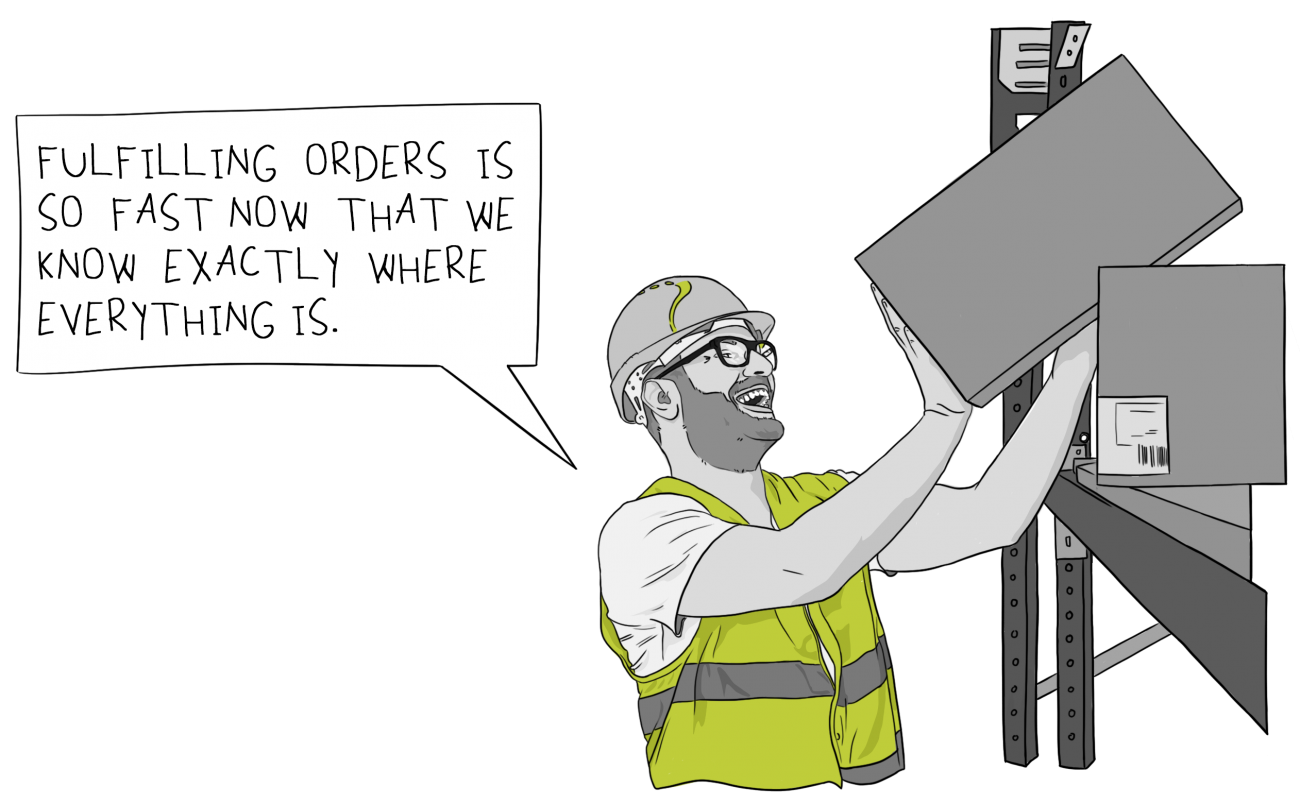
No need for a separate warehouse management system
just to track multiple bins in one Inventory Control Location
- Warehouse staff know exactly where to store and find any inventory item
- Streamlined picking and put-away means faster turnaround, reduced handling costs
- Fewer items lost or misplaced, fewer rejected orders, increased customer satisfaction
- Bin-level stocktakes let you maintain more accurate and granular accurate inventory records
- All bin information is held within Sage 300
- You decide what a Bin is, e.g., shelves, slots, containers, barrels, pallets, or drawers.
- Integrates with numerous 3rd Party modules, some of which support hand-held scanning devices for yet more efficiency gains.
- No need to purchase, learn, maintain and reconcile a separate warehouse management system just to track multiple bins
Bin Tracking Features
Configuration Options (Bin & Item level)
Per Bin
- Pick order, to optimize picking route
- Put-away order, to optimize put-away route
- Allow receipts, or reserve bins for picking only
- An optional 'quick entry' shortcut key, to avoid typing long bin location codes
Per Item within a Bin:
- Allowed in this bin, to reserve bins for specific items
- Unit of measure, to reserve bins for bulk stock
- Re-order level and quantity, to support Bin Replenishment Report
- Maximum quantity
Flexible Bin Allocation Options
Per enabled Sage 300 transaction, set the picking/put-away method (choice of pick/put-away location) to:
- Auto Pick / Put-away and Post
- Auto Pick / Put-away
- Manual
Put Away Bin Allocation can be based on:
- Last bin picked from
- Last bin put away to
- Bin Setup put-way order
Picking Bin Allocation can be based on:
- Most recent put-away
- Oldest put-away
- Bin Setup pick order
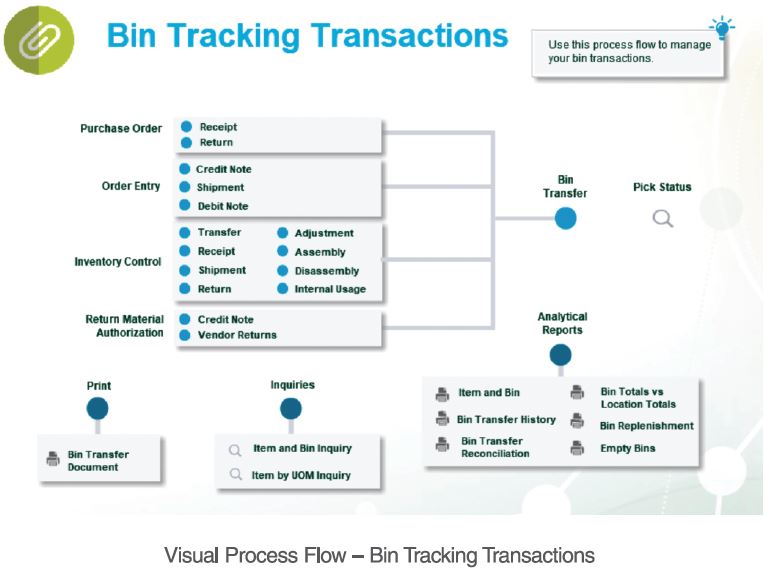
Sage 300 Transactions enabled for Bin Tracking
- O/E Shipment
- O/E Credit Note
- O/E Debit Note
- I/C Receipt
- I/C Shipment
- I/C Shipment Return
- I/C Transfer
- I/C Adjustment
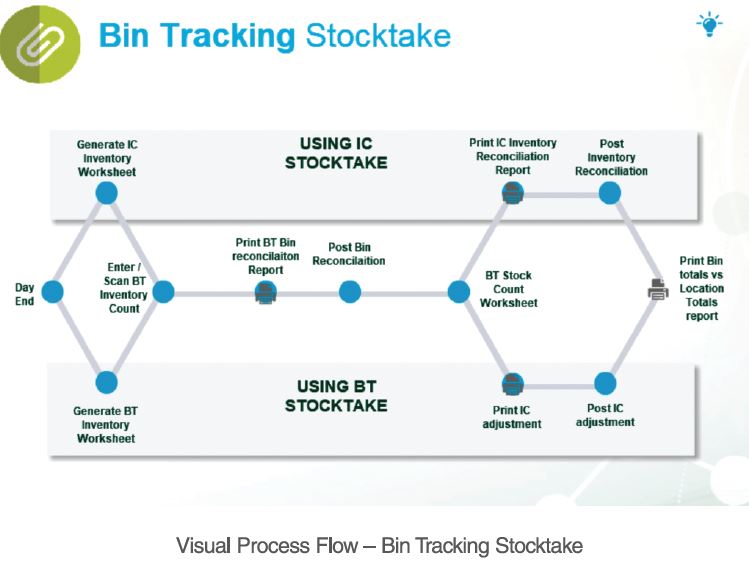
- I/C Stocktake
- I/C Assembly
- I/C Disassembly
- I/C Internal Usage
- P/O Receipt
- P/O Return
- RMA O/E Credit Note
- RMA P/O Return
Configuration Options (Bin Transfer)
Per Sage 300 transaction, configure the Bin Transfer document to:
- Automatically pop up for completion with the Sage 300 transaction, or;
- Be created for subsequent data entry
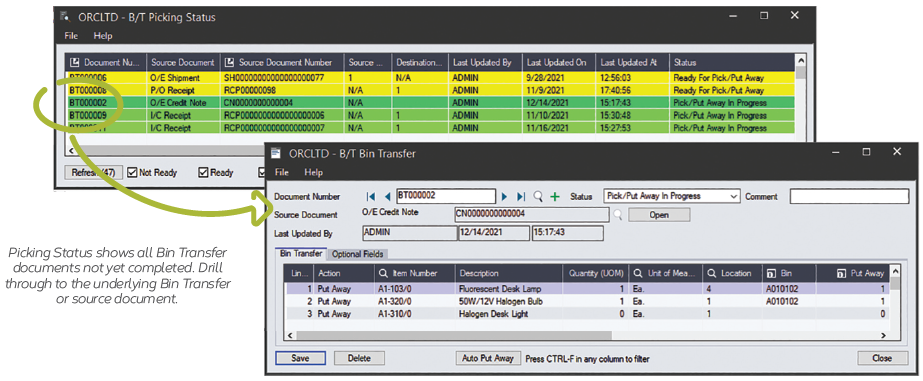
Configurable status for new Bin Transfer documents:
- Not ready
- Ready for picking /put-away
- In progress
- Complete
Define Optional Fields on multiple Record Types
Optional Fields can be defined for any of:
- Bin records
- Bin Transfer header records
- Bin Transfer detail records
If the same Optional Field is defined on both the Bin Transfer and the source transaction (e.g. OE Shipment, PO Receipt, IC Assembly, IC Adjustment), the source values will be carried over to the Bin Transfer.
Tracking, Stocktake & Reporting
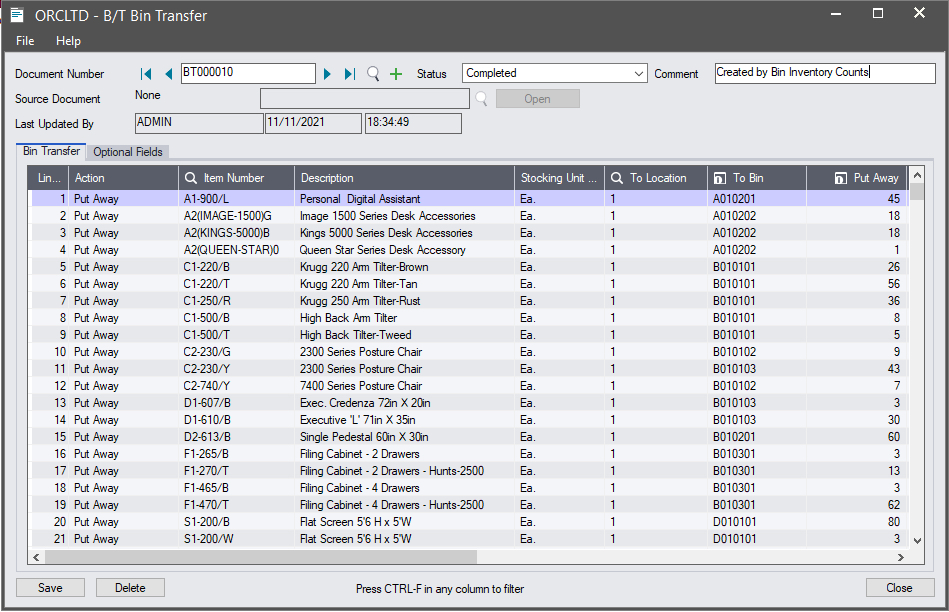
- All warehouse movements are tracked by Bin Transfer document
- Generate bin-level physical inventory worksheets and stock adjustments
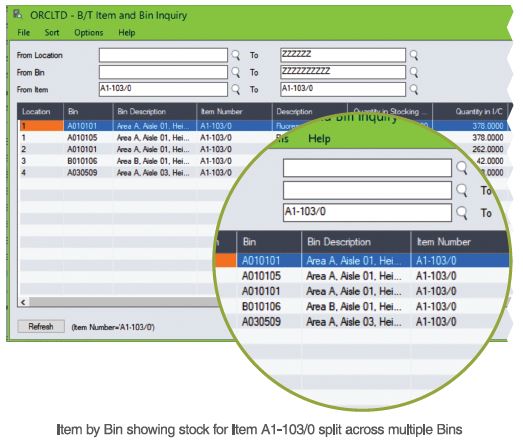
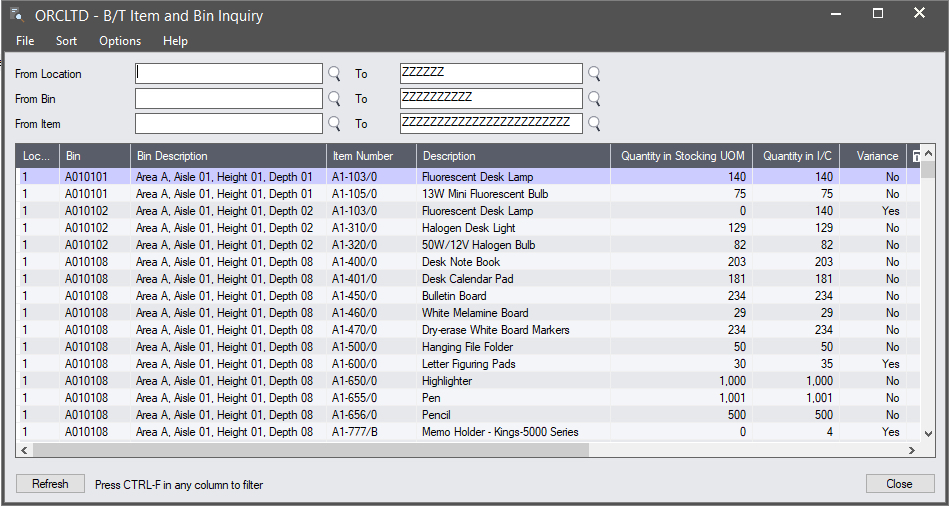
- Enquire on bin quantities per item & location
- Report on bins to be re-stocked
A Sage 300 Module
- Bin Tracking is developed in the Sage 300 SDK, providing the familiar Sage 300 look & feel plus standard security, customization capabilities, data integrity checking and more
- All Bin Tracking data is stored in the Sage 300 database, allowing it to be easily backed up and included in Dump & Load functions
Product Screenshots
Testimonials
Integration with other Modules
Bin Tracking integrates seamlessly with:
- Sage 300: IC, OE, PO, Serialized Inventory & Lot Tracking
- Orchid Systems: Return Materials Authorization
Bin Tracking is also compatible with other Warehouse Management Service products and modules developed in the Sage 300 SDK, including:
- AutoSimply: Barcode Operation; Manufacturing Order (Issuances, Receipts)
- Technisoft: Service Manager (Invoices, Credits, "Cost Only" transactions)
- Accu-Dart: Inventory Management Solution
- Edisoft: Order Fulfillment
- WMSsoft
Minimum Requirements
- Features relate to the latest supported version.
- Bin Tracking requires Sage 300 Inventory Control.
- Pop-up option for Bin Transfer creation is currently only compatible with Sage 300 Classic Desktop.
International Contacts
Please contact us directly if your business is in the UK, Europe or other regions not listed here.
North/South/Central America and the Caribbean
Robert Lavery
Phone: (416) 453-7876
Email: Robert.lavery@sympatico.ca
Address:
Robert Lavery & Associates
14 Woodway Trail
Toronto, Ontario CANADA M8Y 2B8
Asia Region
A-Plus Software Limited (ID#82011633)
Phone: + 852-2366 8392
Email: info@a-plussoft.com
Website: www.a-plussoft.com/en/orchid.php
Address:
5/F Goldsland Building
22 Minden Avenue, Tsim Sha Tsui,
Kowloon Hong Kong
Australia and New Zealand Region
Sage Software Australia - Business Management Solutions (ERP & CRM)
Phone: 137 243 (13 SAGE)
Website: https://www.sage.com/au
Level 11, Zenith Tower B,
821 Pacific Hwy,
Chatswood NSW 2067
Africa Region
Sage South Africa (Pty) Ltd
Phone: +27 11 304 3000Website: https://www.sage.com/za
6th Floor, Gateway West
22 Magwa Crescent
Waterfall 5-lr, Midrand, 2066
Middle East Region
Sage Middle East
Phone: +971 43900180
Website: https://www.sage.com/en-ae/support/contact-us
Office No. 118 Building No.11
Dubai Internet City (DIC)
Dubai, PO Box 500198
United Arab Emirates (UAE)
